Once you have your WordPress site set up, it is time to start working on the design of your site. This can be an intimidating task for those without any web design experience. Luckily, WordPress has built-in themes to help you customize the design of your site. A WordPress theme is a group of files containing style sheets, graphics, and code that dictates the appearance of your site.
While there are thousands of free themes, there are premium themes that have a cost attached to them. Free themes typically have fewer features and fewer in-depth customization options than premium themes. The free ones are also updated less frequently than the premium ones. Premium themes are typically a one-time purchase with prices ranging from $10 up to $200, with most costing around $59.
In WordPress, a child theme is a theme that inherits the functions, features, and style of another theme, called the parent theme. The child theme can then be customized without making any changes to the parent theme. The main advantage to using a child theme is that it allows you to safely update the parent theme without losing any of the customizations that are made in the child theme. To locate themes in WordPress, click on Appearance in the menu from the Dashboard and then click on Themes. From here click on Add New, and you will have access to thousands of themes.
To locate themes in WordPress, click on Appearance in the menu from the Dashboard and then click on Themes. From here click on Add New, and you will have access to thousands of themes.

If you click on Feature Filter, you can filter your theme searches by subject, layout, or by features that best fit the needs of your website. Once you have chosen a theme you like, you can install it by clicking on the install button.
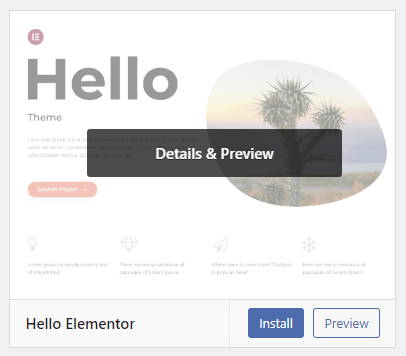
Then go back to the Themes page and click Activate to make that theme the theme of your site.
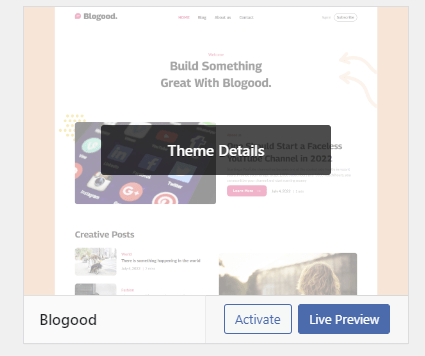
Themes can be customized in WordPress by clicking on the Customize button.

From here you can easily make changes to your theme by navigating the customization menu on the left of the screen.
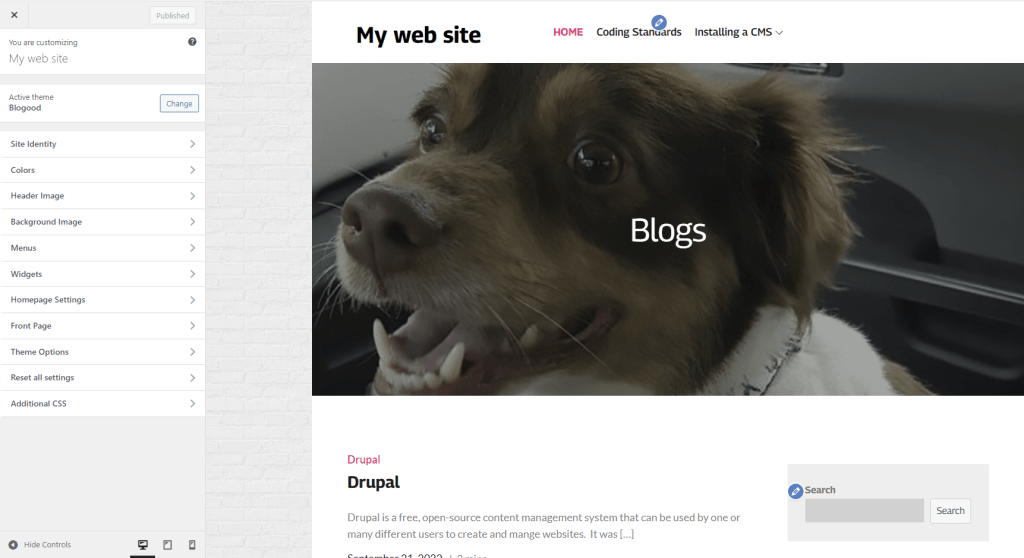
If you want to make changes to your theme, but the option you are looking for isn’t in the menu, you can click on the Additional CSS button at the bottom of the menu to make changes manually by writing CSS code.
 Scott Kingsley Blog
Leave a comment